


Empower your voice and amplify your impact by creating compelling content within this community.
Here's how to unleash your creativity and engage with others:
Who can get involved?
We encourage everyone to get involved with the community, sharing experiences and connecting with one another.
What type of content can you create or engage with in the community?
- Topics: Contribute to the Community & Resource Library with articles, blogs, announcements, or anything you like. Share your experiences to spark conversations.
- Discussions: Initiate meaningful discussions by posting thought-provoking topics. Dive into subjects that matter to you and the community, fostering insightful conversations.
- Events: Share upcoming workshops, seminars, and networking sessions. Contribute to the community's growth by promoting events that spark collaboration.
- And much more!
How do I do it?
First, go to the top right corner and click the "+" button, then select the type of content you want to create! If in doubt, choose a TOPIC
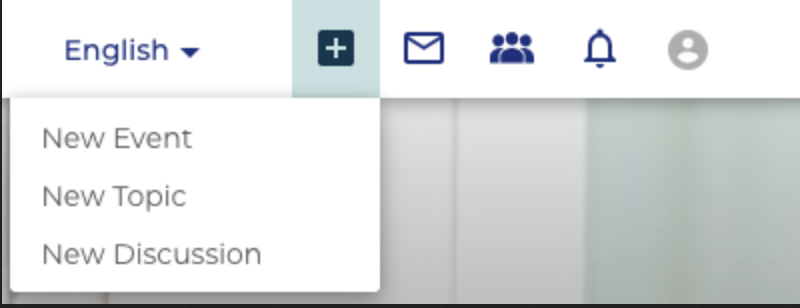
For each different content type, you'll follow a similar structure.
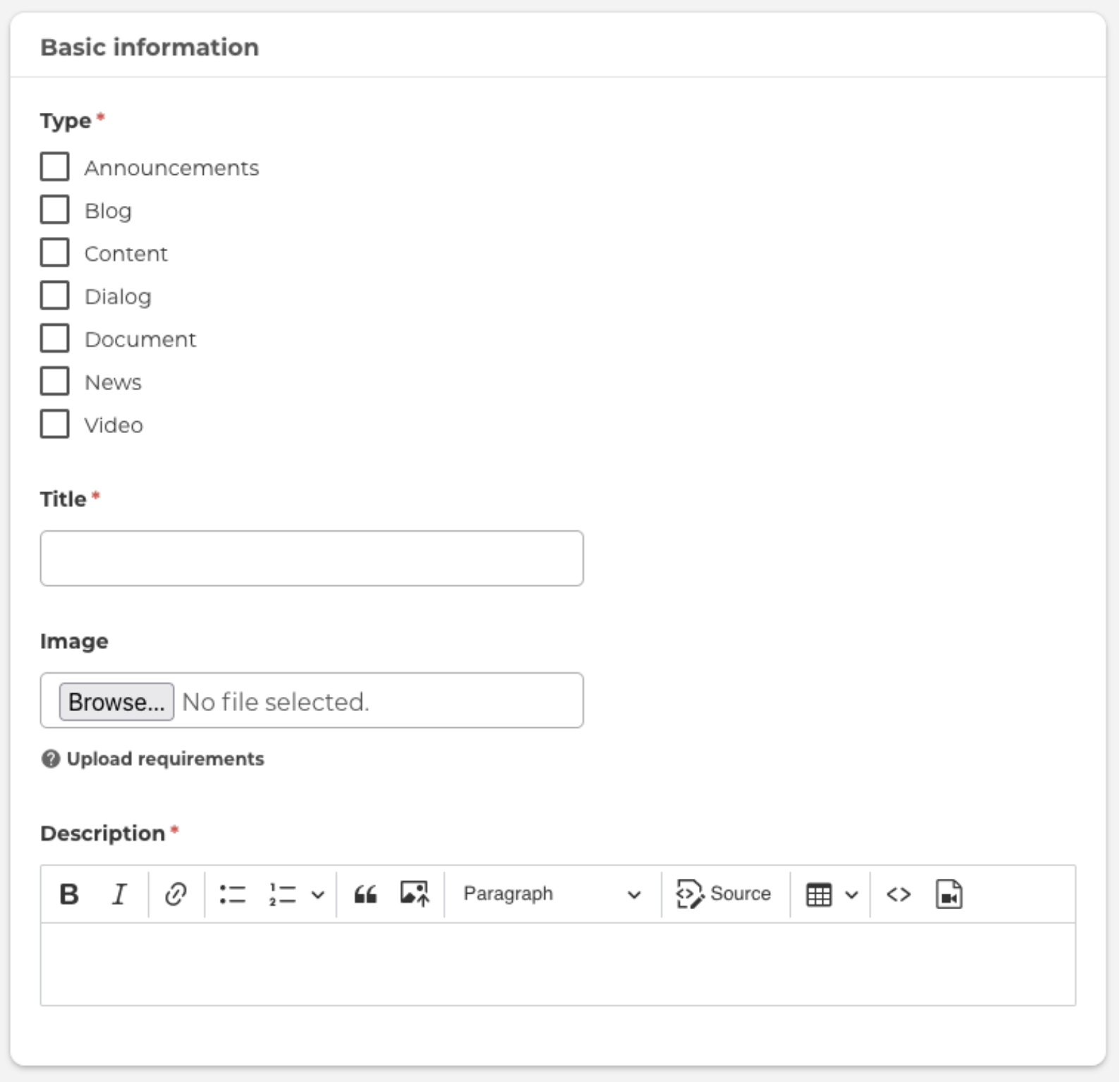
- Select the content type: If your ideal option isn't available, choose a placeholder for now and contact the community manager to request a new type.
- Add a title and header image: Make sure to include both, choosing compelling and informative imagery to showcase your content.
- Fill in the content body: In the Description section, you’ll have full formatting options. You can even embed or iframe external content via the "Source" button or by clicking the Media button and adding a YouTube/Vimeo link.
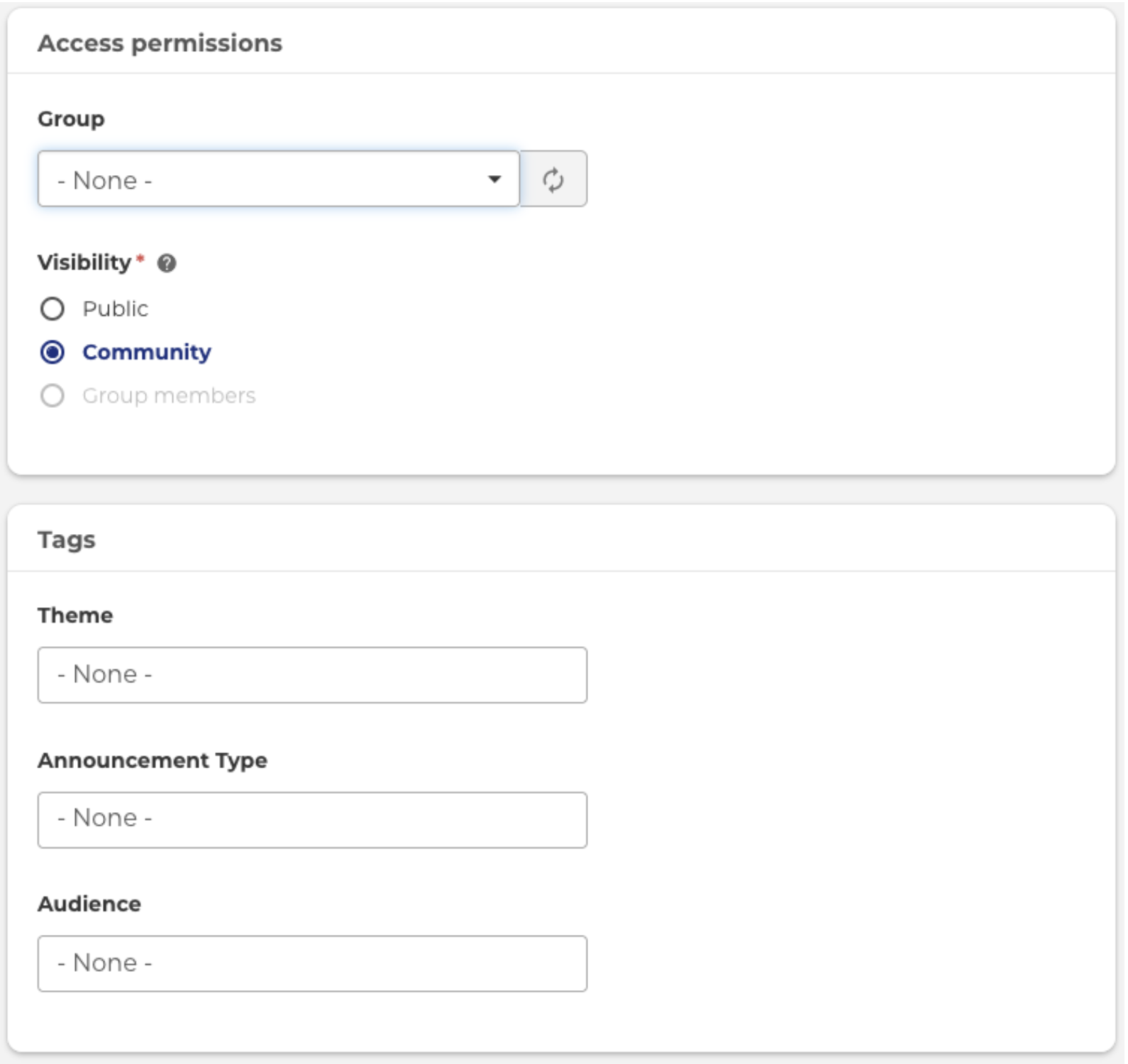
Once the important information is added, ensure it is accessible to the right users and showing up in the right places. You can do this via the Access Permissions & Tags section:
- Choose the Group your content should be part of. For example, if it's about Green Technology, place it in the Green Group.
- Add Tags to make your content easier to find and relate it to other content in the Resource Library. The more options you provide, the easier it will be for others to find and engage with your content.
Finally, you’ll find various settings and configuration options, depending on the content type you’ve chosen. These should be straightforward, but don't hesitate to reach out if you have any questions!